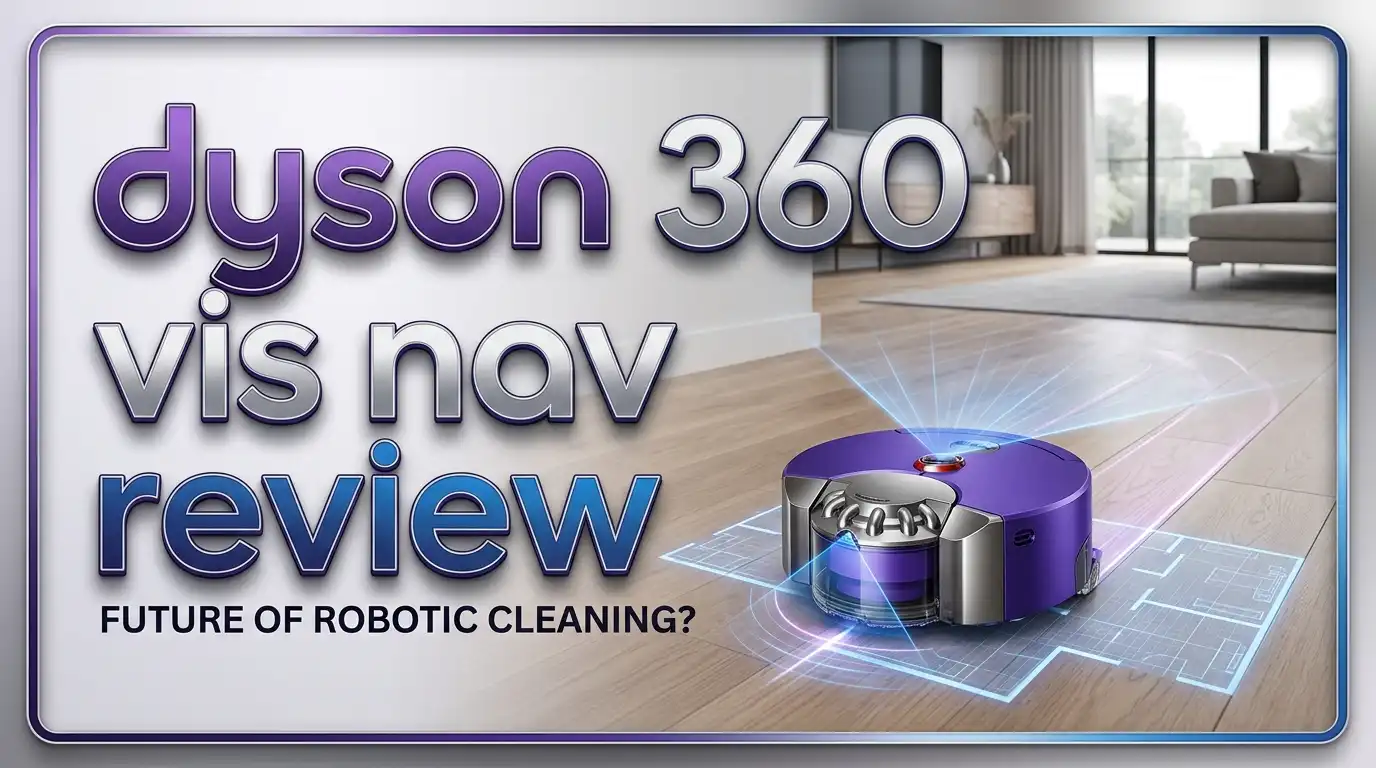
Dyson 360 Vis Nav Review: Power, Performance & Testing
The Dyson 360 Vis Nav is one of the most talked about robot vacuums on the market. It promises massive suction power, smart navigation, and Dyson’s signature engineering. But does it live up to the hype?
This review breaks down every feature, every flaw, and every reason you might love or skip this machine. Keep reading to find out if the Dyson 360 Vis Nav deserves a spot in your home.
In a Nutshell
Before diving into the full review, here are the key points you need to know about the Dyson 360 Vis Nav.
- Unmatched suction power: The Vis Nav delivers around 8100 Pa, which is roughly double the suction of most competing robot vacuums.
- Triple action brush bar: It combines a soft roller, stiff nylon bristles, and anti static carbon fiber filaments for strong pickup on all floors.
- D shaped design with side duct: This shape allows a wider brush bar and a smart extending duct that cleans edges and corners.
- No mopping and no auto empty base: At its price point, the lack of these features is a real downside.
- vSLAM camera navigation: Mapping can be inconsistent, and it lacks advanced obstacle avoidance.
- Premium price tag: It costs more than many competitors that offer richer features.
What is the Dyson 360 Vis Nav?

- The world's most powerful robot vacuum.¹ 2x the suction of any other robot vacuum.¹
- Sucks up more than any other robot on all floors.² Dyson's first brush bar to combine three ways to deep...
- Control your clean or let your Dyson robot do it for you. Choose between four power modes: Auto, Boost, Quick...
Last update on 2026-10-05 / Affiliate links / Images from Amazon Product Advertising API
The Dyson 360 Vis Nav is Dyson’s flagship robot vacuum. It is the brand’s third robot vacuum model and the most advanced one so far. Dyson built it for people who want strong suction in an automated cleaner.
The robot uses a D shaped body instead of a circle. This shape gives it a wider brush bar that reaches more floor area on each pass. It also features a top mounted camera system called vSLAM for navigation around your home.
Inside the unit, Dyson packs a powerful Hyperdymium motor. This motor pulls in fine dust, large debris, and pet hair with ease. The vacuum also has a washable HEPA filter that traps 99.99% of microscopic particles.
The Vis Nav stands out with an LED screen on top. This screen shows battery life, cleaning mode, and other settings at a glance. You can also control it through the MyDyson app on your phone.
While the design is striking, the robot does miss some modern features. It has no mop, no auto empty dock, and no advanced obstacle avoidance. Still, for pure suction power, it remains a serious contender.
Design and Build Quality
The Dyson 360 Vis Nav has a bold look. Its blue and nickel finish gives it a premium feel that matches Dyson’s other products. The D shape is unusual but functional, and it allows the brush to clean closer to walls.
The unit measures about 13 inches wide and stands taller than most robot vacuums. This extra height comes from the top mounted camera tower used for navigation. Some users find the height a problem because it cannot fit under low furniture.
Build quality feels solid. The plastic is thick, and the parts fit together cleanly. The dustbin pops out with a single button, and emptying it is hygienic. You just push the bin over the trash and slide the door open.
The charging dock is small and simple. It does not include an auto empty feature, which is a letdown at this price. You will need to empty the 567 ml dustbin every couple of cleaning sessions by hand.
The carrying handle on top is a nice touch. You can lift the vacuum easily and move it between rooms or floors. Overall, the design feels well crafted, though some choices feel dated next to newer rivals.
Suction Power and Cleaning Performance
This is where the Dyson 360 Vis Nav truly shines. The vacuum claims twice the suction power of any other robot vacuum, and tests back this up. At max power, the suction reaches about 8100 Pa, which is industry leading.
The Vis Nav offers three power modes: low, auto, and max. In low mode, it still cleans better than many competitors do at full blast. In auto mode, the dust sensor adjusts power based on how dirty the floor is.
On hard floors, the vacuum picks up fine dust, cereal, sand, and pet hair with ease. The soft front roller pushes large debris into the suction path without scattering it. This is rare among robot vacuums.
On carpets, the stiff nylon bristles dig deep into the fibers. The Vis Nav scored above average in carpet deep clean tests. It pulls out embedded sand and dirt that other robots leave behind.
The vacuum also has an internal dust sensor. This sensor detects high dust areas and boosts power automatically. You can even view a heat map in the app to see where your floors get the dirtiest.
Navigation and Mapping
The Vis Nav uses a vSLAM camera system for navigation. The top mounted camera scans your home and builds a map as it cleans. LED lights help the camera see in dark rooms or under furniture.
In practice, the navigation feels mixed. The first mapping run takes longer than average. The resulting map can look unclear, and the robot sometimes misses sections of rooms.
The app does support multi level maps and no go zones. You can set virtual walls to block off areas where you do not want the vacuum to go. Room specific cleaning is also available once the map is ready.
The biggest weakness is obstacle avoidance. The Vis Nav does not have front facing obstacle sensors that recognize objects. It will bump into shoes, cords, and toys instead of going around them.
Compared to LiDAR based robots from Roborock or iRobot, the Vis Nav lags behind. Newer robots can identify and avoid pet waste, cables, and clothing. The Vis Nav simply pushes through or stops when it gets stuck.
Top 3 Alternatives for Dyson 360 Vis Nav
If the Dyson 360 Vis Nav does not fit your needs, these three options offer different strengths at varied price points.

- Note: Please notice the robot vacuum condition before buying.
- Note: The robot vacuum will report "charging" when it's connected with the charging dock correctly. Otherwise...
- Note: After spot cleaning or a significant position change, the robot will re-generate the map. If the...
Last update on 2026-10-16 / Affiliate links / Images from Amazon Product Advertising API

- CLEANS WHEN AND WHERE YOU WANT– Only iRobot brings you Imprint Smart Mapping allowing you to control and...
- AVOIDS PET ACCIDENTS – WE GUARANTEE IT - IRobot brings you P.O.O.P. (Pet Owner Official Promise). You can...
- IT DOESN’T JUST LEARN YOUR HOME; IT REACTS TO IT IN REAL TIME. With PrecisionVision Navigation and a camera...
Last update on 2026-10-16 / Affiliate links / Images from Amazon Product Advertising API

- 𝟴𝟬𝟬𝟬𝗣𝗮 𝗛𝘆𝗽𝗲𝗿𝗙𝗼𝗿𝗰𝗲 𝗦𝘂𝗰𝘁𝗶𝗼𝗻: Engineered to...
- 𝗔𝗹𝗹-𝗶𝗻-𝗢𝗻𝗲 𝗗𝗼𝗰𝗸𝗶𝗻𝗴 𝗦𝘁𝗮𝘁𝗶𝗼𝗻: Designed for...
- 𝗧𝗮𝗻𝗴𝗹𝗲-𝗙𝗿𝗲𝗲 𝗕𝗿𝘂𝘀𝗵 𝗦𝘆𝘀𝘁𝗲𝗺: The upgraded...
Last update on 2026-10-16 / Affiliate links / Images from Amazon Product Advertising API
The Roborock S8 Pro Ultra is the most feature rich pick. It mops, vacuums, and empties itself into the dock. The dock also washes and dries the mop pads on its own.
The iRobot Roomba j7+ is a great option for pet owners. It uses smart obstacle avoidance to dodge pet waste and cords. It also empties itself into a bagged dock.
The Roborock Qrevo gives you strong suction, mopping, and an all in one dock at a lower price. It works well for most homes and beats the Vis Nav in overall features.
Battery Life and Run Time
The Dyson 360 Vis Nav has an official battery life of 65 minutes on low power. That is shorter than what many competitors claim. In real testing, the low power runtime holds up well and is even above average in efficiency.
On max power, the battery drains quickly. You may get only 30 to 35 minutes of cleaning before the robot heads back to charge. This is one of the weakest results among premium robot vacuums.
The good news is the vacuum supports recharge and resume. When the battery gets low, it returns to the dock, charges up, and goes back to finish the job. You do not have to babysit it.
The charging time is reasonable. A full charge takes about three hours. For most homes under 1500 square feet, one or two cycles will clean every room.
For larger homes, the battery life can feel limiting. You might need to plan longer cleaning windows or use scheduling. The vacuum works best in small to medium sized homes where one charge can cover the floors.
App and Smart Features
The MyDyson app controls the Vis Nav from your phone. It includes the basics like scheduling, room cleaning, and no go zones. You can also start, stop, and pause cleaning runs from anywhere.
The app feels less polished than apps from Roborock or iRobot. It works, but the interface is plain. Some users report bugs and slow connection times with their home WiFi.
One feature that stands out is the heat map. After each clean, the app shows you a visual map of where the vacuum found the most dust. This helps you see which spots in your home need more attention.
You also get cleaning history reports. These show how long each clean took, what areas the robot covered, and how much dust it picked up. The data is useful for tracking patterns.
Voice control works with both Amazon Alexa and Google Home. You can start a clean with a simple voice command. Smart home users will appreciate this hands free option.
Filtration and Allergen Capture
The Dyson 360 Vis Nav uses a fully sealed HEPA filtration system. This system traps 99.99% of particles as small as 0.3 microns. That includes dust mites, pollen, bacteria, and pet dander.
The filter is washable. You can rinse it under cold water and let it dry completely before putting it back. This saves money over time since you do not need to buy replacement filters often.
The sealed design is a real plus for allergy sufferers. Many robot vacuums leak fine dust back into the air. The Vis Nav keeps everything locked inside until you empty the bin.
Dyson tested the filtration extensively. The brand has a strong reputation for clean air, and that carries over to this model. If you have pets, asthma, or allergies, this filtration alone is worth considering.
The dustbin holds about 567 ml. That is larger than average for a robot vacuum. You will not need to empty it after every clean, which is helpful when you skip the auto empty dock.
Edge and Corner Cleaning
The Vis Nav does not have a traditional spinning side brush. Instead, it uses an extending side duct that sucks dirt out of edges and corners. This is a unique Dyson approach.
When the robot detects an edge, the duct slides out from the side of the unit. Suction then redirects through this duct to grab debris near the wall. The duct retracts when not in use.
In practice, the side duct works well. It picks up dust and crumbs along baseboards and around table legs. It does not throw debris around the way some spinning brushes do.
However, corners can still be a challenge. The D shape helps the brush get closer to walls, but tight corners may still hold onto dirt. You may need to spot clean these areas by hand.
For open floor plans, the edge cleaning is impressive. For homes with many tight corners and furniture, it is decent but not perfect. The performance is good for a robot, just not as thorough as a stick vacuum.
Pet Hair Performance
If you have pets, the Dyson 360 Vis Nav handles hair very well. The triple action brush bar pulls up hair without much tangling. The stiff bristles dig into carpets, and the soft roller grabs hair on hard floors.
The strong suction also helps. Pet hair gets pulled into the bin quickly before it has a chance to wrap around the brush. This means less maintenance on your part.
The HEPA filter is another bonus for pet owners. It traps pet dander and odor causing particles. After a clean, the air in your home should feel fresher.
The vacuum does not have a tangle free brush like some Roborock models. So if you have very long hair or shedding pets, you may need to clean the brush every few weeks. It is easy to remove and clean by hand.
The internal dust sensor also helps in pet areas. It detects high dirt zones and boosts power to clean them better. Spots near pet beds or feeding stations get extra attention.
Noise Level
The Vis Nav is louder than average in max power mode. The sound is similar to a regular cordless Dyson vacuum, around 70 to 75 decibels. This is not a quiet robot.
In low power mode, the noise level drops significantly. You can run it in another room without much disturbance. Auto mode mixes the two, depending on how dirty the floor is.
For most users, the noise is acceptable during the day. At night or during meetings, you may want to schedule cleans for times when the home is empty. The strong suction is the reason for the noise.
The recharge and resume feature can also be a noise factor. If the robot returns to charge and starts again, it may run during inconvenient times. Smart scheduling helps avoid this.
If quiet operation is a priority, this may not be the right vacuum. Other models from Roborock or Roomba run more quietly, though they may not clean as deeply. It is a tradeoff between power and peace.
Pros and Cons of the Dyson 360 Vis Nav
Like every product, the Vis Nav has clear strengths and clear weaknesses. Knowing both helps you decide if it fits your needs.
The pros include unmatched suction power, strong pickup on all floors, washable HEPA filter, hygienic dustbin emptying, multi level mapping, and a sleek design. The triple action brush and edge duct add to the cleaning performance.
The cons are notable too. The Vis Nav has no mopping, no auto empty dock, weak obstacle avoidance, short battery life on max power, and a basic app. The price is also higher than many richer featured competitors.
It is a vacuum that does one job very well, vacuuming, but skips many extras that have become standard. If you only care about cleaning power and air quality, this fits the bill. If you want a do it all robot, you may want to look elsewhere.
For Dyson loyalists, the brand quality and engineering are appealing. For value hunters, the missing features make the price hard to justify. Knowing your priorities is the key.
Who Should Buy the Dyson 360 Vis Nav?
The Dyson 360 Vis Nav is right for a specific kind of buyer. You should consider it if you want the strongest suction in a robot vacuum and you do not need mopping or auto empty features.
It is a great fit for people with carpet heavy homes. The deep clean performance on carpets is one of the best. Pet owners with shedding animals will also appreciate the pickup power.
People with allergies or asthma should look at this model. The sealed HEPA system traps fine dust and dander better than most. The washable filter keeps long term costs low.
You should skip this model if you want a robot that mops, avoids obstacles smartly, or empties itself. You will also want to skip it if you have a very large home where battery life matters.
Budget shoppers should also look elsewhere. The Vis Nav sits at a premium price, and you can find more features for less money in other brands. It is a vacuum for buyers who value Dyson quality above all.
Final Verdict
The Dyson 360 Vis Nav is a powerhouse cleaner that excels at its main job. It picks up dirt, dust, and hair better than almost any other robot vacuum on the market. The build quality, filtration, and brush design are all top notch.
However, the missing features hold it back. The lack of mopping, auto empty, and smart obstacle avoidance feels like a step behind the competition. The price makes those gaps even more painful.
If suction power is your top priority, the Vis Nav is hard to beat. It cleans like a cordless Dyson but does the work on its own. The triple action brush and edge duct keep your floors spotless.
For most buyers, alternatives like the Roborock S8 Pro Ultra or the Roomba j7+ offer better overall value. They give you more features at a lower price. But none of them match the raw cleaning power of the Vis Nav.
In the end, this robot is a tool for purists who love Dyson and want pure suction. It is not the most modern robot, but it might be the most powerful. Choose it based on your needs, not the hype.
Frequently Asked Questions
Does the Dyson 360 Vis Nav mop floors?
No, the Dyson 360 Vis Nav does not mop. It only vacuums hard floors and carpets. If you need mopping, look at the Roborock S8 Pro Ultra or similar models that combine both functions in one unit.
How long does the battery last on the Dyson 360 Vis Nav?
The battery lasts about 65 minutes on low power mode. On max power, it drops to around 30 to 35 minutes. The vacuum supports recharge and resume, so it can finish a clean across multiple charges.
Is the Dyson 360 Vis Nav good for pet hair?
Yes, the Vis Nav is excellent for pet hair. The triple action brush bar and strong suction pull hair from carpets and hard floors with ease. The HEPA filter also traps pet dander and allergens.
Does the Dyson 360 Vis Nav have an auto empty dock?
No, the Vis Nav does not have an auto empty dock. You will need to empty the 567 ml dustbin by hand. The bin opens with a button for a hygienic and easy emptying process.
Can the Dyson 360 Vis Nav avoid obstacles?
The Vis Nav has basic obstacle detection but no advanced object recognition. It may bump into cords, shoes, and toys. For better obstacle avoidance, consider the Roomba j7+ or Roborock models with LiDAR.
Is the Dyson 360 Vis Nav worth the price?
It depends on your priorities. If you value top suction power and Dyson build quality, it is worth the price. If you want mopping, auto empty, and smart features, other robots offer better value for less money.
What size dustbin does the Dyson 360 Vis Nav have?
The Vis Nav has a 567 ml dustbin, which is larger than average for a robot vacuum. This means you do not need to empty it after every clean, even if there is no auto empty base.
Does the Dyson 360 Vis Nav work on carpets?
Yes, the Vis Nav works very well on carpets. The stiff nylon bristles dig deep into the fibers, and the strong suction pulls out embedded dirt. It scored above average in carpet deep clean tests.

DK is a tech enthusiast and home improvement expert who helps readers navigate the ever-evolving world of home technology and appliances. With a passion for smart living and practical innovation, DK provides honest reviews and expert guidance to make your home more comfortable, efficient, and modern.