Nouhaus Chair Review: Ergonomic Office Seating Comparison
Finding the right office chair can change your workday. If you sit for hours, your back and posture need real support. This is where Nouhaus comes in.
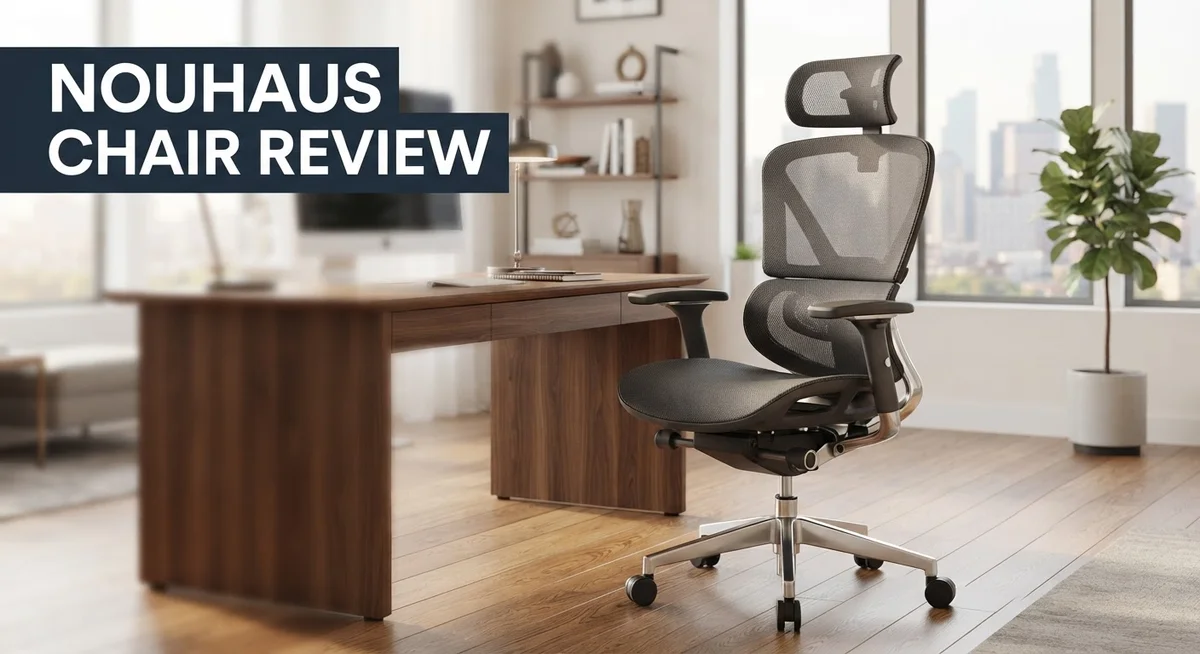
Nouhaus makes a range of ergonomic chairs. These include the Posture, Ergo3D, Ergo Morph, and Ergo Fluido X1 models. Each one targets comfort and support in a different way.
Many users love how these chairs feel. The Ergo3D holds a strong 4.84 out of 5 rating from over 266 reviews. That says a lot about comfort and build quality.
These chairs also offer flexible adjustments. You can tweak the backrest height, seat depth, and armrest position. This helps you find a fit that works for your body.
But no chair is perfect. Some models have unpadded armrests. Others use mesh that can rub your skin during long sessions. Assembly can also be tricky and may need two people.
In this review, we break down everything you need to know. We will cover comfort, durability, adjustability, and real user experiences. By the end, you will know if a Nouhaus chair fits your needs and your space.
In a Nutshell
Here is what stands out most about Nouhaus chairs:
-
Comfort scores impress. The Ergo3D holds a 4.84/5 rating from 266 reviewers. That says a lot about daily comfort.
-
Build quality feels solid. Frames use E1 plywood and nylon bases. This gives each chair a sturdy feel that lasts.
-
Adjustability sets these chairs apart. You can tweak backrest height, seat depth, and armrests. Fit changes based on your body and desk setup.
-
Tilt range goes far. The Ergo3D tilts up to 135 degrees. This lets you recline and relax between tasks.
-
Some setup issues exist. Assembly might need two people for certain models. Armrests on a few versions lack padding too.
-
Customer support gets praise. Many buyers mention helpful and professional service. This matters when you hit a snag.
Nouhaus chairs bring strong comfort and smart adjustability to your workspace. Small drawbacks like assembly and mesh texture exist, but they rarely outweigh the benefits.
Build Quality and Materials
Nouhaus chairs stand out for their solid construction from the ground up. The frames use E1 plywood, which provides a sturdy foundation that resists warping over time. This material choice matters because it keeps your chair stable even after months of daily use.
The base is made from nylon, a durable plastic that rolls smoothly across most floor types. You get easy mobility without sacrificing strength. The nylon holds up well under regular movement and weight shifts throughout your workday.
PU leather covers most models, offering a professional look that works in any office setting. This synthetic material resists stains and cleans up quickly with a damp cloth. The 1.3mm thickness provides genuine durability rather than cheap, thin coating that peels away.
Some Nouhaus models feature mesh panels instead of solid upholstery. Mesh breathes better during long sitting sessions and keeps you cooler. However, a few users report that mesh can rub against bare skin, so layering clothing helps prevent irritation.
The armrests vary by model. Premium versions include padded armrests, while entry level chairs sometimes have unpadded support. Unpadded armrests feel firm but may cause discomfort during extended use. Check your specific model before purchasing.
Weight capacity ranges from 40 to 46 pounds for the chair itself, reflecting substantial material density. Heavier chairs typically mean better component quality and longer lifespan. You’re getting real materials here, not hollow plastic shells.
One real concern surfaces with armrest attachment. Some buyers mention loose armrests after several months of use. This appears to be an isolated issue rather than a widespread flaw, but it’s worth monitoring during your first weeks of ownership.
Assembly requires attention to detail. Most models need two people to put together safely. The process takes 30 to 45 minutes, and rushing can lead to misaligned components. Follow the instructions carefully to ensure everything locks properly.
Overall, Nouhaus delivers genuine build quality using materials that last. The construction feels professional and holds up to daily office demands.

- Ergonomic Versatility: The Nouhaus lumbar support ergonomic chair leads the pack, this ergonomic chair...
- Click-5 Comfort: The Nouhaus office chair comes with five-position adjustable lumbar support, offering...
- Adaptable Comfort: The Nouhaus executive chair features a 135-degree tilt angle, allowing you to comfortably...
Last update on 2026-10-16 / Affiliate links / Images from Amazon Product Advertising API
Ergonomic Design and Adjustability
Nouhaus chairs shine when it comes to personalized fit. Each model offers different adjustment options so you can dial in your perfect sitting position. The backrest height moves to match your spine’s natural curve. Seat depth adjusts so your thighs get proper support without pressure on the backs of your knees.
Armrest positioning varies by model. Some chairs let you move armrests up and down. Others allow side to side movement. This flexibility matters because everyone’s shoulder height differs. Finding the right armrest level reduces neck and shoulder strain during long work sessions.
The tilt mechanism deserves attention here. Models like the Ergo3D tilt back up to 135 degrees. This range lets you recline for breaks or lean forward when focused on detailed work. The tilt feels smooth and controlled rather than jerky or unstable.
Lumbar support adjustments appear on premium models. You can increase or decrease lower back support based on your needs. This feature helps people with different spine shapes find comfort. Some days you might need more support than others, and these chairs adapt.
Seat height adjustment is standard across the lineup. You can raise or lower the seat to align your feet flat on the floor and keep your thighs parallel to the ground. This simple adjustment prevents leg fatigue and improves circulation.
One thing to note: not all adjustments are equally intuitive. Some levers require a bit of learning. The manual helps, but watching a quick setup video can save frustration. Once you understand each control, making adjustments becomes second nature.
The mesh models offer a different feel than PU leather versions. Mesh breathes better for hot environments. However, some users report the mesh material can rub skin during extended sitting. Leather options stay cooler in air conditioning and feel more formal in professional settings.
Overall, Nouhaus delivers genuine adjustability that matches different body types and work styles. You get real control over your sitting experience rather than settling for fixed positions.
Comfort and Support Performance
When you sit in a Nouhaus chair, the first thing you notice is how the seat supports your body. The Ergo3D model rates 4.84 out of 5 stars across hundreds of real user reviews. People consistently report that their backs feel better after switching to these chairs.
The seat depth adjusts to fit different leg lengths. Taller users appreciate this feature because standard chairs often feel too shallow. Shorter users benefit from pulling the seat forward for better thigh support. This flexibility matters because everyone’s body is different.
Lumbar support on premium models provides targeted relief for your lower back. Many office workers spend 8+ hours sitting daily, so this support prevents strain and discomfort. The backrest height also adjusts on most models, letting you position support exactly where you need it.
The tilt mechanism goes up to 135 degrees on the Ergo3D. This means you can recline significantly without feeling unstable. The mechanism locks at different angles, so you can find your perfect position for focused work or relaxation. The tilt range gives you flexibility that budget office chairs simply don’t offer.
Armrest positioning varies between models. Some feature adjustable armrests that move up, down, and sideways. Others have fixed armrests that work well for standard desk heights. Check your specific model because armrest comfort directly impacts shoulder and neck health.
One thing to mention: mesh panels on certain models feel different than PU leather. Mesh breathes better during long sessions, but some users report it can rub skin slightly. PU leather stays cooler initially but traps more heat over time.
The chair’s frame uses E1 plywood, which provides solid support without excessive weight. This construction means the seat maintains its shape even after months of daily use. The nylon base keeps everything stable while rolling smoothly across most floor types.
Real users note that not every adjustment feels intuitive on first try. You might need to spend 10 minutes learning the controls. Once you dial in your settings, the chair adapts to your body rather than forcing you into a standard position. This personalized fit is what separates Nouhaus from generic office seating.
Top 3 Alternatives
Herman Miller Aeron Chair

- Aeron Size B provides optimal support for people 5'5" to 6'2" and 150 to 230 pounds, Posture Fit supports the...
- Patented Pellicle woven suspension textile weaves together two unique materials with elastic properties to...
- Kinematic tilt mechanism allows the chair to move with your body, pivot points align with the hips, knees and...
Last update on 2026-10-24 / Affiliate links / Images from Amazon Product Advertising API
The Aeron Chair stands out for its advanced ergonomic design. This chair uses a special PostureFit system that supports your lower back naturally. The seat material breathes well, keeping you cool during long work sessions. You get 12 years of warranty coverage, which shows the company’s confidence in quality.
The chair adjusts in multiple ways. You can change seat height, armrest position, and backrest tension easily. These adjustments help you find your perfect sitting position. Many users report less back pain after switching to this model.
Steelcase Leap Chair

- Leap owns a reputation as our most classic chair, providing customizable support whatever your body shape or...
- Leap is designed with our Natural Glide System, allowing the seat to glide back and forth as you recline...
- Featuring 3D LiveBack technology, Leap mimics the natural shape of your spine, allowing the chair to contour...
Last update on 2026-10-24 / Affiliate links / Images from Amazon Product Advertising API
The Leap Chair offers intelligent support technology. Its LiveLumbar feature moves with your spine as you shift positions throughout the day. This means your lower back gets support no matter how you sit.
The chair includes adjustable armrests and a responsive backrest. The seat pan tilts to reduce pressure on your thighs. Users appreciate how the chair adapts to different body types without constant manual adjustments. The weight capacity is substantial, making it suitable for various users.
IKEA Markus Office Chair

✔️Adjust the height and angle of this chair so your workday feels comfortable – the mesh backrest...
✔️Built to outlast years of ups and downs.
✔️The adjustable and lockable tilt function increases stability and control in different sitting...
Last update on 2026-10-24 / Affiliate links / Images from Amazon Product Advertising API
The Markus Chair provides a budget-friendly option for home offices. It features high-back support and padded armrests for comfort during work. The chair swivels and rolls smoothly across most floor types.
Assembly takes about 30 minutes. The leather-like material is easy to clean and maintain. While it lacks advanced ergonomic features like the premium alternatives, it delivers basic comfort for casual use. The chair works well for people who spend moderate time sitting or those just starting to improve their workspace setup.
Assembly and Setup Experience
Getting your Nouhaus chair ready to use involves a straightforward process, though you should know what to expect before you start.
Most Nouhaus models arrive partially assembled. The base, wheels, and gas cylinder are already attached. You’ll need to connect the backrest to the seat, install the armrests, and adjust the height mechanism. The process typically takes 20 to 40 minutes depending on your comfort level with assembly tasks.
Here’s the real talk: having a second person helps significantly. One person can hold the backrest steady while another secures the bolts. Working solo is possible, but it requires more patience. The instruction manual includes clear diagrams that show each step in order.
The armrest installation deserves special attention. Some users report that armrest attachment points feel slightly loose initially. Tightening the bolts firmly during setup prevents wobbling later. Double check these connections before you settle into the chair for the first time.
Tools required are minimal. Most Nouhaus chairs come with an Allen wrench and basic hardware. You won’t need a power drill or specialized equipment. Keep all bolts and screws organized as you unpack them. A small container or tray prevents losing small parts on your floor.
The gas cylinder connection is critical. This component controls height adjustment, so ensure it clicks firmly into the base. A secure connection means smooth up and down movement without any stuttering or dropping.
Once assembly finishes, test every adjustment before you start working. Raise and lower the seat. Recline the backrest. Move the armrests if your model allows it. This testing confirms everything installed correctly and works as intended.
The backrest angle adjustment mechanism should feel smooth when you operate it. If movement feels stiff or jerky, check that all bolts are properly tightened. Most assembly issues stem from slightly loose connections rather than defective parts.
New users often find the assembly experience straightforward. The parts fit together logically. Following the manual step by step prevents confusion and ensures a solid final result. Taking time during setup pays off with a stable, functional chair that performs well for years.
Model Comparison: Which Nouhaus Chair Is Right for You
Nouhaus offers four main models, each with distinct features for different work needs. Understanding what separates them helps you pick the right fit for your space and body.
The Posture model focuses on basic ergonomic support. It includes standard height adjustment and a simple tilt mechanism. This option works well if you want core features without extra complexity. The backrest stays fixed, so customization is limited compared to premium versions.
The Ergo3D represents a significant step up. This model features a 135 degree tilt range and adjustable lumbar support. Users report a 4.84 out of 5 comfort rating across 266 reviews. The seat depth adjustment accommodates different leg lengths effectively. If you spend long hours sitting, this model delivers more personalized support.
The Ergo Morph sits in the middle tier. It combines solid adjustability with moderate complexity. Armrest positioning varies here, allowing you to find your ideal arm angle. The mesh material option on this model provides better airflow than PU leather, which matters if your workspace gets warm.
The Ergo Fluido X1 tops the lineup. This model includes all premium adjustments plus enhanced materials. The seat and backrest work together to follow your body movements. Advanced users appreciate the fine tuning options available here.
Material choice matters across all models. PU leather versions feel more formal and wipe clean easily. Mesh options breathe better but require more care. Both materials use quality construction, so your choice depends on your office environment.
Weight capacity and dimensions stay consistent across the range. All models measure roughly 28 inches wide and weigh between 40 to 46 pounds. This consistency means any model fits standard office spaces.
One critical difference: armrest attachment quality varies by model. Some users report loose connections on entry level chairs. Premium models feature more secure armrest mechanisms. Test the armrest stability before committing to extended work sessions.
Your choice ultimately depends on how much adjustability you need and your material preference. Start with your budget range, then match features to your daily work demands.
Pros and Cons
Pros
- High comfort ratings across models with real users reporting strong satisfaction
- Sturdy construction using E1 plywood frames that hold up over time
- Easy to move around thanks to smooth-rolling nylon base
- Multiple adjustment options let you customize the fit to your body
- Professional customer service team responds quickly to questions
Cons
- Assembly works best with two people, though one person can manage it
- Some models have unpadded armrests that feel hard against your arms
- Mesh material on certain models can rub or irritate skin during long sessions
- Delivery timelines aren’t always clear when you place your order
- Armrest attachment quality issues pop up on a few units
Who Should Buy It
Nouhaus chairs work well for people who spend long hours sitting at a desk. If you find yourself uncomfortable after a few hours of work, these chairs address that problem directly.
Remote workers benefit most from this brand. You need a chair that supports your back during video calls, emails, and focused work sessions. Nouhaus models provide the adjustability to keep you comfortable all day.
Students and professionals who alternate between tasks need flexible seating. The ability to recline, adjust armrests, and modify backrest height means you can shift positions throughout your day. This prevents the stiffness that comes from staying in one position too long.
People with existing back issues should consider Nouhaus seriously. The ergonomic design reduces strain on your spine. However, consult your doctor first if you have specific medical concerns. The chair supports good posture, but it’s not a medical device.
If you prefer mesh over leather, certain Nouhaus models accommodate this choice. Some people find leather too warm in summer months. Mesh allows better airflow during extended sitting sessions.
Gamers often ask about Nouhaus chairs. These aren’t gaming chairs. They’re office chairs designed for productivity and comfort. If you want a chair for work rather than gaming marathons, Nouhaus fits your needs better than typical gaming brands.
Budget conscious buyers should know entry level models exist alongside premium options. You don’t need the top tier model to get solid comfort and support. Start with the Posture model if you want basic ergonomics without extra features.
People who rearrange their workspace frequently appreciate the easy mobility. The smooth rolling base moves smoothly across most floor types. You can relocate your setup without heavy lifting.
Avoid Nouhaus if you need assembly done immediately. Setup takes time, and having a second person makes the process easier. If you live alone and prefer pre assembled furniture, this might frustrate you.
Finally, Nouhaus works for anyone who values durability. These chairs last years with proper care. The E1 plywood frame and quality materials mean you’re investing in long term seating, not a temporary solution.
Final Verdict
Nouhaus chairs deliver solid performance for anyone who wants better support at their desk. The lineup covers different needs, from basic comfort to advanced customization.
Real users consistently praise how these chairs feel during long work sessions. That comfort factor matters most when you sit for hours each day.
Build quality stands out as a genuine strength. These chairs don’t wobble or creak like cheaper alternatives you might find elsewhere.
Some rough edges exist, though. Armrest issues and unclear delivery windows create minor frustrations for buyers.
These problems don’t outweigh the benefits for most people. They’re worth noting but shouldn’t stop you from considering this brand.
Your specific needs should guide which model you pick. Someone who switches tasks often needs different features than someone who sits still all day.
Think about your body type too. Taller or shorter users may find certain models fit better than others based on adjustability ranges.
Material preference plays a bigger role than people expect. Leather feels different than mesh after hours of use, and your skin will tell you which one works.
We recommend Nouhaus for anyone serious about upgrading their workspace. The brand backs its products with responsive support when questions come up.
Assembly takes patience, but the payoff justifies the effort. A comfortable chair changes how you feel by the end of each workday.
Compare this to typical office chairs you’d find at big box stores. Nouhaus focuses specifically on ergonomics in a way many competitors skip entirely.
Gaming chairs often get mentioned in the same conversations, but they simply can’t match the ergonomic depth here.
If comfort and support top your list, Nouhaus deserves a real look. The brand delivers on its core promise: keeping your body supported through long sitting sessions.
Final thought: pick the model that matches your daily routine, not just your budget category. Your back will thank you later.
Frequently Asked Questions
Is a Nouhaus chair good for gaming?
Nouhaus chairs work fine for gaming, but they’re not specifically built for that purpose. These chairs focus on ergonomic support for long work sessions rather than gaming aesthetics. The tilt range goes up to 135° on models like the Ergo3D, which gives you flexibility during extended play. However, gamers often prefer chairs with racing-style designs and extra cushioning. If you game while also working at your desk, a Nouhaus chair handles both activities well.
How long does assembly take?
Assembly typically takes 30 to 60 minutes with two people. One person can complete it, but the process becomes slower and more frustrating. The instructions are straightforward, and most users report the steps make sense. You’ll need basic tools that most homes already have. Plan ahead if you need the chair ready on a specific day, since rushing through assembly can lead to mistakes.
Can I adjust the armrests on every model?
Armrest adjustability varies by model. Some Nouhaus chairs let you move the armrests up, down, and forward. Others have fixed or limited adjustment options. The Ergo3D and Ergo Morph offer more customization than entry level models. Check the specific model details before ordering if armrest positioning matters for your setup. This feature really helps if you switch between different desk heights or work styles throughout the day.
What’s the difference between leather and mesh options?
Leather models use 1.3mm PU material that wipes clean easily and lasts longer. Mesh options breathe better and feel lighter, especially in warm rooms. However, mesh can rub your skin during long sessions, while leather stays smooth. Leather traps more heat, so mesh works better if you sit for 8+ hours daily. Your climate and personal comfort preference should guide this choice.

DK is a tech enthusiast and home improvement expert who helps readers navigate the ever-evolving world of home technology and appliances. With a passion for smart living and practical innovation, DK provides honest reviews and expert guidance to make your home more comfortable, efficient, and modern.