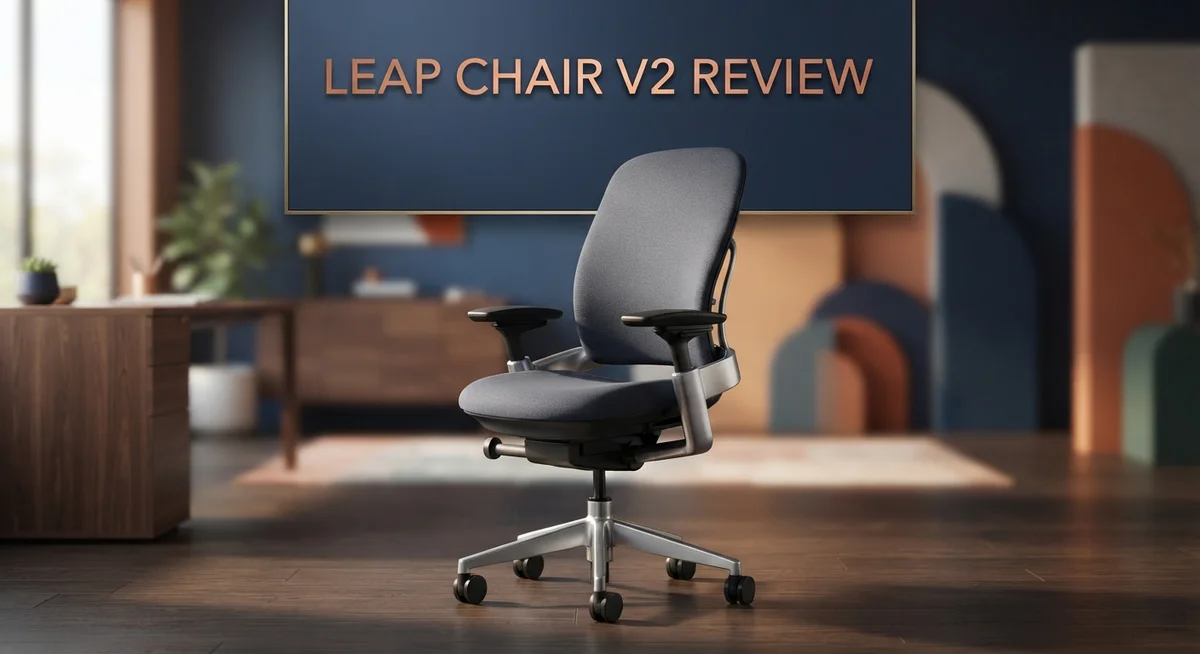
Steelcase Leap V2 Chair Review: Adjustability & Long-Term Comfort
Finding the right office chair can feel like a big task. You sit in it for hours every day. It should support your body, not fight against it.
The Steelcase Leap V2 is a popular choice for home and office setups. It promises comfort, flexibility, and support for many body types. But does it truly deliver?
This review looks at what makes the Leap V2 special. We will explore its design, comfort features, and adjustability. You will also learn where it falls short.
People with back pain often search for the perfect chair. The Leap V2 claims to solve that problem with its flexible backrest and strong lumbar support. Its 4-way adjustable armrests are also a major highlight.
Still, no chair is perfect. Some users notice extra noise from the mechanisms. Others feel the seat padding could be softer.
We will break down every detail in simple terms. By the end, you will know if this chair fits your needs. Let’s dive into what makes the Leap V2 stand out from other office chairs today.
In a Nutshell
-
Wide size range: The Leap V2 fits users from 5’2″ to 6’6″, making it a great pick for shared offices or multiple family members.
-
Four way adjustable armrests let you set width, height, depth, and pivot for a custom feel every time you sit down.
-
Lumbar support stands out here. The flexible backrest moves with your spine, which helps reduce back strain during long work sessions.
-
This chair proves it can handle daily wear and tear. Many owners report solid performance even after three or more years of heavy use.
-
On the flip side, some users notice squeaking or clanking noises from the mechanisms as the chair ages.
-
The seat padding feels thinner than the original Leap model, and the chair can run warm during long sitting hours.
-
If recline matters most to you, the Steelcase Fern might be a better match. For seat comfort alone, the Herman Miller Embody deserves a look too.
Overall, the Leap V2 balances adjustability and support well, though it is not flawless for every body type or preference.
Ergonomic Design and Lumbar Support
The Leap V2 puts serious focus on keeping your spine happy. Its flexible backrest adapts to how you move throughout the day, not just staying rigid like cheaper office chairs.
The lumbar curve on this chair sits right where your lower back needs support most. You can adjust it forward and backward to match your spine’s natural shape. This matters because your lower back bears most of your body weight when you sit.
What makes the lumbar system work so well? The backrest moves with you instead of against you. When you lean back, the support follows. When you sit upright, it stays firm. This responsiveness helps reduce strain on your discs and muscles over long work sessions.
The back height reaches 25 inches, which covers most of your spine from your tailbone up to your mid back. Taller users (up to 6’6″) get full coverage. Shorter users (starting at 5’2″) also fit well without excess material pushing on their neck.
One thing to note: the support system feels less cushioned than the original Leap model. Some people miss that extra padding in the seat and lower back area. If you prefer a softer feel, you might notice the difference during your first week.
The flexible backrest does come with trade offs. Users report occasional squeaking or clanking from the adjustment mechanisms as the chair ages. This doesn’t affect support quality, but it can be annoying in quiet offices.
The chair also runs warm during extended sitting. The mesh backing allows airflow, but the lumbar support structure can trap heat around your lower back. This matters if you sit for eight plus hours daily in warm climates.
For people with existing back pain, the lumbar adjustment options give you real control. You’re not stuck with one fixed curve. Instead, you dial in exactly what your back needs. This flexibility makes the Leap V2 stand out against chairs with preset lumbar support that only work for some body types.

- 𝗟𝗶𝘃𝗲 𝗕𝗮𝗰𝗸 𝗦𝗽𝗶𝗻𝗲 𝗦𝘂𝗽𝗽𝗼𝗿𝘁: The backrest is contoured...
- 𝗡𝗮𝘁𝘂𝗿𝗮𝗹 𝗚𝗹𝗶𝗱𝗲 𝗦𝘆𝘀𝘁𝗲𝗺: As the back reclines, the seat...
- 𝟰𝗗 𝗔𝗱𝗷𝘂𝘀𝘁𝗮𝗯𝗹𝗲 𝗔𝗿𝗺𝘀: Up/down, in/out, forward/back, and pivot...
Last update on 2026-10-24 / Affiliate links / Images from Amazon Product Advertising API
Adjustability and Customization Options
The Steelcase Leap V2 shines when it comes to making adjustments fit your body. You get real control over how the chair feels, which matters a lot for all-day comfort.
Four way armrests are the standout feature here. You can adjust the width, height, depth, and pivot angle. This means your arms rest exactly where you need them, whether you’re typing, taking notes, or relaxing between tasks. Most chairs lock armrests in one spot. The Leap V2 lets you move them around.
The seat depth slides from 21.75 to 24.75 inches. Shorter people appreciate this because they can pull the seat closer. Taller users can extend it for more leg support. This simple adjustment makes a huge difference in how the chair feels under you.
Lumbar support gets personal too. The backrest isn’t rigid. It flexes and moves with your spine instead of forcing you into one position. You can adjust how much support your lower back gets. This flexibility helps people with different back shapes find their sweet spot.
Height adjustments span from 38.5 to 43.5 inches overall. The chair fits users from 5’2″ to 6’6″, so most body types find a good fit. The back height reaches 25 inches, covering your tailbone up to your mid back area.
Recline tension can be tuned to match your weight and preference. You control how much effort it takes to lean back. Some users want a stiff recline. Others prefer something that moves easily. The Leap V2 lets you pick.
One trade off exists: all these adjustment options mean more moving parts. Some users report squeaking or clanking sounds from the mechanisms over time. The flexibility you gain comes with occasional noise.
The customization approach works well if you spend time dialing everything in. Take a few minutes to adjust each feature. Your comfort level rises significantly once everything aligns with your body. The chair rewards people who actually use the adjustment options instead of leaving them at factory settings.
Build Quality and Materials
The Leap V2 uses a sturdy metal base and frame that can handle daily wear and tear over multiple years. Steelcase built this chair to last, and the foundation shows it. The frame materials resist warping even with constant use.
The seat pan itself is where you’ll notice a difference from the original Leap. The padding feels thinner and less cushioned, which some users find less comfortable during long sitting sessions. This trade off helps keep the chair lightweight and responsive to your movements.
The backrest combines mesh and solid materials for breathability. The flexible design means the back moves with your body instead of staying rigid. However, this flexibility comes with a downside: more moving parts mean more potential for noise. Users report squeaking or clanking sounds from the adjustment mechanisms as the chair ages.
The armrests use quality materials and feature metal frames with padded sections. You can adjust them in four directions (width, height, depth, and pivot), and they hold their position well over time. The construction here feels solid and reliable.
One material consideration is temperature. The mesh back and seat can trap heat, making the chair run warm during extended sitting. This matters if you work in a warm office or tend to sit for 8+ hours straight.
The overall build quality remains strong across the board. The chair fits users from 5’2″ to 6’6″, and the materials scale appropriately for different body sizes. The casters roll smoothly, and the tilt mechanism functions consistently.
The key takeaway: this chair prioritizes function over luxury padding. You get durable materials and smart engineering rather than plush cushioning. The construction holds up well, though some users mention the chair feels slightly less solid than the original Leap model. If you want a chair that performs reliably for years without major repairs, the V2 delivers. Just expect to hear occasional noises as the mechanisms settle in during the first few months of use.
Top 3 Alternatives
Herman Miller Aeron

- Aeron Size B provides optimal support for people 5'5" to 6'2" and 150 to 230 pounds, Posture Fit supports the...
- Patented Pellicle woven suspension textile weaves together two unique materials with elastic properties to...
- Kinematic tilt mechanism allows the chair to move with your body, pivot points align with the hips, knees and...
Last update on 2026-10-24 / Affiliate links / Images from Amazon Product Advertising API
The Herman Miller Aeron stands out as a premium office chair built for long work sessions. This chair uses a PostureFit system that supports your lower back naturally. The seat pan adjusts to fit different body types, making it comfortable for most people.
The chair features eight adjustment options. You can move the armrests, change the seat height, and tilt the backrest to match your needs. The mesh material keeps you cool during hot days. Many users appreciate how the Aeron feels lightweight yet durable over years of use.
Steelcase Leap

- Leap owns a reputation as our most classic chair, providing customizable support whatever your body shape or...
- Leap is designed with our Natural Glide System, allowing the seat to glide back and forth as you recline...
- Featuring 3D LiveBack technology, Leap mimics the natural shape of your spine, allowing the chair to contour...
Last update on 2026-10-24 / Affiliate links / Images from Amazon Product Advertising API
Steelcase Leap offers intelligent back support through its LiveLumbar technology. This system moves with your spine as you shift positions throughout the day. The chair automatically adjusts to support different sitting postures without manual tweaking.
The Leap includes a weight-activated system that responds to your body. Armrests move in multiple directions for better arm positioning. The seat slides forward and backward, giving you more control over your posture. Users report feeling less back pain after switching to this chair for daily work.
Autonomous Ergo Chair

- ADAPTIVE SUPPORT THAT MOVES WITH YOU – The SIHOO B100 ergonomic office chair features elastic dynamic lumbar...
- FULLY ADJUSTABLE FOR YOUR DAY – This office chair offers three recline angles (110° / 125° / 135°) to...
- BREATHABLE MESH COMFORT – The full-mesh design keeps air flowing to help you stay cool during long hours. A...

Last update on 2026-09-11 / Affiliate links / Images from Amazon Product Advertising API
The Autonomous Ergo Chair brings ergonomic features at a more accessible price point. This chair includes lumbar support adjustment and a high-density foam cushion. The backrest reclines smoothly, letting you relax during breaks.
The chair has four-way adjustable armrests and a smooth-rolling base. The seat height adjusts easily with a gas cylinder mechanism. Many people choose this option when they want solid ergonomic support without spending extra. The Ergo Chair works well for home offices and corporate spaces alike.
Comfort and Seat Padding Performance
The seat padding on the Leap V2 takes a different approach than you might expect. Steelcase chose firmer cushioning over plush softness, which means your sit-down experience feels more supportive than squishy. This design choice works well if you prefer a responsive seat that holds your position without excessive give.
The seat pan measures 21.75 to 24.75 inches in depth. You can slide it forward or backward to match your leg length and thigh support needs. This adjustment makes a real difference in how the padding feels against your body during long work sessions.
One important detail: the original Leap had thicker seat cushioning. The V2 reduced this padding slightly, which some users notice right away. If you’re upgrading from the original model, expect a firmer feel rather than a softer one.
The padding performs best during focused work sessions of 4 to 6 hours. Beyond that timeframe, some people report mild discomfort in the seat area. The firmness prevents you from sinking too deep, which keeps your posture aligned but may feel less cushioned than luxury office chairs.
The seat material combines foam with a breathable mesh base layer. This construction helps air flow through the padding, reducing heat buildup on your thighs and backside. The mesh backing prevents moisture from getting trapped against your body during warm weather or intense focus sessions.
Temperature management matters here. The Leap V2 can run warm compared to chairs with full mesh seats. The padding itself doesn’t dissipate heat as quickly, so if you work in a warm office or tend to get hot easily, you’ll notice this during extended sitting.
The padding also provides decent edge support. The seat edges don’t dig into your legs because they’re rounded and cushioned. This detail prevents the circulation problems that flat, hard seat edges can cause.
Overall, the seat padding prioritizes durability and support over cloud-like comfort. It’s a trade-off that suits people who value long-term performance and proper positioning over maximum cushioning. Your body will feel secure and supported, even if it doesn’t feel like sitting on a pillow.
Noise, Durability, and Maintenance
The Leap V2 generates noise during regular use. Squeaking comes from the recline mechanism when you shift positions. Clanking sounds emerge from the armrest adjustments and seat depth slider. These noises are normal for chairs with multiple moving parts, but they can be distracting in quiet offices.
The good news: noise levels decrease after the first few weeks. The mechanisms settle in as you use them. Metal components stop rubbing against each other so aggressively. If you work in a shared space, expect some initial adjustment sounds during the first month.
Durability holds strong over years of daily use. The metal frame and base withstand constant adjustments without breaking down. Users report the chair remaining functional after 3+ years of heavy use. The backrest flexes without cracking. The seat pan maintains its shape. Armrests stay secure even after hundreds of adjustments.
One durability note: the seat padding shows wear faster than the frame. The foam softens gradually over time. This doesn’t mean the chair fails, but you’ll notice the cushioning feels less supportive after extended use. The mesh backing resists tearing and holds up well.
Maintenance is straightforward. Wipe down the mesh and frame with a damp cloth every few weeks. Dust accumulates in the recline mechanism, so use a soft brush to clean those areas. Check armrest bolts occasionally to ensure they stay tight. No special cleaners are needed.
The seat padding cannot be replaced easily on the V2. Unlike some competitors, you cannot swap out cushioning if it compresses too much. This is worth considering if you plan to keep the chair for 5+ years. The breathable mesh requires occasional vacuuming to remove debris.
Overall, the Leap V2 demands minimal upkeep. The moving parts need occasional attention, but nothing complicated. The noise and maintenance trade-offs are small prices for a chair that adapts to your body and lasts through years of work.
Pros and Cons
Pros
- 4-way adjustable armrests adapt to your arm height, width, and angle with precision
- Lumbar support flexes and moves with your spine throughout the day
- Fits users from 5’2″ to 6’6″ without losing comfort or support
- Metal frame and base survive years of daily adjustments without breaking down
- Breathable mesh back keeps you cool during long work sessions
Cons
- Seat padding feels less cushioned compared to the original Leap model
- Squeaking and clanking sounds emerge from the adjustment mechanisms during use
- Seat material can retain heat, making the chair feel warm after several hours
- Some users report the chair feels less solid than earlier versions of the Leap
Who Should Buy It
The Leap V2 works best for people who spend most of their day sitting at a desk. If you work from home or an office for 4 to 6 hours straight, this chair supports your back and keeps you comfortable during focused sessions.
Tall and short users both fit well here. The chair adjusts for anyone from 5’2″ to 6’6″, so body size rarely becomes a problem. The flexible backrest moves with your spine, and the lumbar support responds to your natural curves throughout the day.
People who value adjustability should consider this model strongly. The 4-way armrests let you fine tune arm height, width, and angle to match your exact setup. This feature matters if you switch between typing, mouse work, and phone calls.
If you need a chair that handles long hours without breaking down, the Leap V2 delivers. The metal frame stays solid after years of daily adjustments. You won’t worry about the base or frame failing from regular use.
Professionals who run warm should know one thing: the mesh back keeps air flowing, but the seat material can retain heat during extended sessions. This works fine for most people, but if you tend to get hot easily, test the chair first.
The Leap V2 suits people who accept that comfort takes a different form here. The seat padding prioritizes support and durability over thick cushioning. You get a firm, responsive surface rather than a cloud-like feel. This appeals to users who prefer structure over softness.
Avoid this chair if you want plush seating or silent operation. The mechanisms create squeaking and clanking sounds, especially during adjustments. While noise decreases after a few weeks, it never fully disappears.
This chair fits anyone building a serious work setup. Whether you’re a freelancer, office worker, or someone transitioning to remote work, the Leap V2 adapts to your needs. The combination of adjustability, durability, and support makes it a practical choice for people serious about their workspace ergonomics.
Final Verdict
The Steelcase Leap V2 earns its reputation as a serious office chair. It balances adjustability with long term reliability. This makes it a smart pick for anyone who sits for hours each day.
Your final decision should depend on your priorities. If you want a chair that molds to your body, this one delivers. If plush comfort matters more than adjustability, look elsewhere.
Compare it against the Herman Miller Aeron if you want a sleeker design with similar support. The Steelcase Fern offers better recline for those who like to lean back often. The Herman Miller Embody wins if seat comfort is your top concern.
Think about your work style before buying. Desk bound professionals who type for long stretches will appreciate the ergonomic support here. Those who prefer softer seating might feel disappointed.
Noise sensitivity matters too. If you share a quiet office, the mechanical sounds could bother coworkers nearby. Test the chair in person if possible before committing.
Consider your body type as well. The Leap V2 adapts well to a wide range of heights and builds. This flexibility makes it a safer bet for shared workspaces or growing teams.
Long term value shows up in how the frame holds up over time. Companies that invest in this chair rarely need replacements within a few years. That said, expect to service or accept wear on the seat cushion eventually.
In short, the Leap V2 suits people who prioritize function over plush comfort. It rewards users who need precise adjustability and steady support through long workdays. It may frustrate those who expect silence or soft seating.
Weigh these factors against your daily needs. If ergonomic performance ranks high on your list, this chair earns a strong recommendation. If comfort softness ranks higher, explore the alternatives mentioned above before deciding.
Frequently Asked Questions
Does the Leap V2 work for people who are very tall or very short?
Yes. The chair fits users from 5’2″ to 6’6″ comfortably. The backrest adjusts to support different spine lengths, and the seat height moves up and down to match your leg length. Both tall and short people report good posture without feeling cramped or stretched out.
Why does the Leap V2 sometimes make noise?
The adjustment mechanisms contain springs and metal parts that can squeak or clank when you move. This happens most when you recline, adjust armrests, or shift your weight. It’s normal wear, not a defect. If noise bothers you during quiet focus work, this chair may frustrate you.
Is the seat as comfortable as the original Leap?
The seat padding feels firmer and less plush than the first Leap model. Some users love this firm support for long days. Others miss the extra cushioning. The trade off is that firmer padding lasts longer and holds its shape better over time, which many people prefer for durability.
Will I feel too warm sitting in this chair all day?
The mesh back breathes well and lets air flow around your upper body. However, the seat material can trap heat after several hours. If you run warm naturally or work in a hot office, you may notice warmth building up. The mesh helps, but it won’t fully solve heat retention in the seat itself.
How does the Leap V2 compare to the Herman Miller Aeron?
Both chairs offer strong lumbar support and fit a wide range of body types. The Aeron has a sleeker look and feels lighter. The Leap V2 gives you more armrest adjustments and a more supportive backrest. Choose the Aeron if you want minimalist style. Pick the Leap V2 if you need maximum customization.

DK is a tech enthusiast and home improvement expert who helps readers navigate the ever-evolving world of home technology and appliances. With a passion for smart living and practical innovation, DK provides honest reviews and expert guidance to make your home more comfortable, efficient, and modern.