
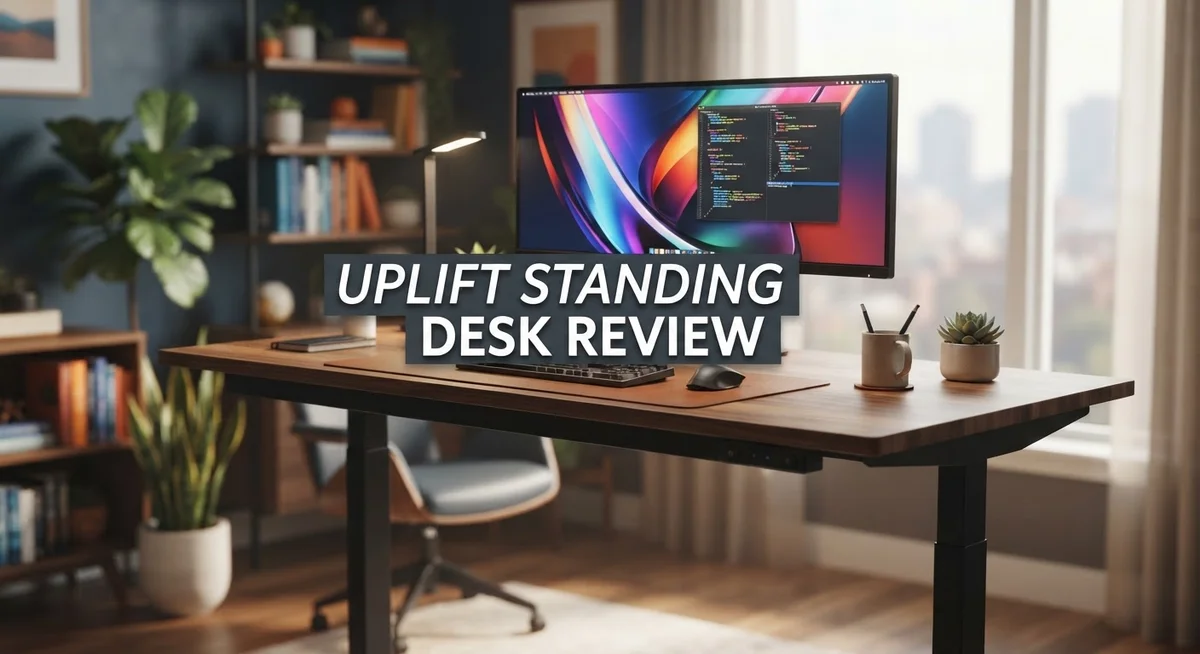
UPLIFT Standing Desk Review: Should You Buy This In 2026?
Do you sit at a desk all day? Your body needs movement. The UPLIFT Standing Desk offers a simple fix.
This desk lets you switch between sitting and standing. It supports better posture and helps you feel more comfortable at work.
We tested the UPLIFT desk closely. We looked at its build quality, height range, and daily performance. This review shares what we found.
The frame feels sturdy and reliable. The desktop comes in many styles, including solid wood options. You also get a wide height range for different users.
But no desk is perfect. Some users report desktop edge cracking over time. Others notice minor wobbling under pressure.
This guide covers everything you need. We explore the pros, the cons, and how UPLIFT compares to brands like Fully and Steelcase. Let’s find out if this desk fits your workspace.
In a Nutshell
Here is the quick rundown before you dive deeper into details.
-
Height adjustment works smoothly. The V2 Commercial model drops to 22.6 inches. This suits almost every user, whether short or tall.
-
Materials are eco friendly. Laminates carry GREENGUARD Gold certification. Solid wood options exist for buyers who want a natural look.
-
The warranty is impressive. UPLIFT backs desktops with a 15 year warranty. This shows real confidence in their product.
-
Assembly stays simple. The V3 model needs just one tool. You can set it up without calling a professional.
-
Some durability issues exist. Desktop edges may crack after a year of use. Laminate can also unglue over time in rare cases.
-
Minor wobbling happens under pressure. Heavy typing or leaning may cause slight movement. This is not a dealbreaker for most users.
-
Desk mats can distort color. Long term mat use sometimes changes the surface tone. Keep this in mind if you use accessories daily.
This desk balances strong build quality with a few minor flaws. It remains a solid choice for anyone wanting better ergonomics at work.
Height Adjustment and Motor Performance
The UPLIFT standing desk uses an electric motor system to handle height changes. You push a button, and the desk moves up or down smoothly. This motor performs well during daily use and responds quickly to your commands.
The V2 Commercial model starts at 22.6 inches in height. This low minimum lets you position the desk for different user sizes. Some people need lower desks, and UPLIFT makes this possible. The maximum height extends far enough for taller individuals to work comfortably while standing.
Speed matters when you adjust your desk throughout the day. The UPLIFT motor moves at a steady pace. You won’t wait forever for the desk to reach your desired height. This consistent speed helps you switch between sitting and standing without frustration.
The frame itself stays rock solid during most adjustments. The electric system handles the weight of your monitor, keyboard, and other items without strain. The construction feels dependable when you test it in real conditions. You can trust this desk to perform day after day.
One thing to watch for is wobbling under pressure. If you lean hard on the desk while standing, you might notice slight movement. This is minor and doesn’t affect normal work tasks. Most users don’t experience problems during typical typing or mouse use.
The motor warranty covers 15 years on desktops. This shows UPLIFT stands behind their electric system. If something goes wrong with the motor or adjustment mechanism, you have long term protection. That’s a strong commitment to reliability.
Assembly requires only one tool for the V3 version. The motor components connect easily without complicated steps. You can get your desk set up and working fast. This simple process means less time spent on setup and more time being productive.
The height adjustment system balances performance with ease of use. You get smooth, responsive movement without unnecessary complexity. Whether you’re short, tall, or average height, this desk adapts to your needs.

- SEAMLESS ELECTRIC HEIGHT ADJUSTMENT: The Advanced Keypad with one-touch control and four memory presets...
- PREMIUM LAMINATE DESKTOP: This industrial desk features symmetrical patterns and consistent colors with a...
- DUAL GERMAN MOTORS: Dual German-made motors provide smooth, fast, and quiet adjustments (under 48 dB...
Last update on 2026-10-16 / Affiliate links / Images from Amazon Product Advertising API
Build Quality and Materials
The UPLIFT standing desk uses high quality materials throughout its construction. The desktop surfaces come in two main options: GREENGUARD Gold certified laminates or solid wood. Both choices mean you get surfaces that are safe and built to last.
The frame construction stands out as a key strength. The base uses a sturdy metal frame that supports your desk during all height adjustments. This frame resists wobbling in most situations. You can count on it to stay stable when you work.
The laminates on UPLIFT desks receive special certification. GREENGUARD Gold means the materials release fewer harmful chemicals into your workspace. This matters if you spend eight hours a day at your desk. Solid wood options offer a different aesthetic while maintaining durability.
One real world issue appears after extended use. Some users report desktop edges can crack after one or more years of regular use. This happens more often with laminate surfaces than solid wood. The cracks typically start at stress points where the desktop meets the frame.
Color distortion presents another material concern. When you place desk mats or protective covers directly on the surface, the laminate underneath can fade or discolor over time. This happens because moisture and pressure build up under the mat. The underlying material gets trapped against the laminate.
Laminate ungluing occasionally occurs as well. The adhesive that binds the laminate to the substrate can separate in certain spots. This usually happens in corners or along edges. Heat and humidity seem to speed up this process.
The 15 year warranty on desktops shows UPLIFT stands behind their materials. This coverage gives you confidence in your purchase. You get protection against manufacturing defects for a long time.
Overall, the materials deliver solid performance with minor trade offs. The frame feels robust and reliable. The certified laminates and wood options provide safe surfaces. Some durability concerns exist with edges and color, but they remain relatively uncommon. Most users report their UPLIFT desks hold up well through years of daily use.
Customization and Design Options
UPLIFT gives you real choices when it comes to building your perfect desk. You can pick from different desktop materials, sizes, and finishes to match your workspace style.
The desktop options start with GREENGUARD Gold certified laminates. These materials meet strict environmental standards. You get peace of mind knowing your desk surface won’t release harmful chemicals into your office air. Solid wood alternatives are also available if you prefer a natural look and feel.
Surface finishes come in multiple colors and textures. Light oak, walnut, and various neutral tones let you coordinate with your existing furniture. The desktop edges can be customized too, giving you control over the final appearance of your workspace.
The frame itself offers customization beyond just looks. You can choose between different base colors to match your design preferences. The electric motor system works quietly in the background while you adjust heights throughout your day.
Size flexibility matters for different spaces. UPLIFT offers various desktop widths and depths. Whether you need a compact setup or a sprawling surface for multiple monitors, options exist to fit your needs.
One thing to know: desk mats and protective covers can cause color distortion over time when placed directly on the surface. This happens more with certain laminate finishes, so consider this when planning your setup. The solid wood options tend to handle protective covers better than laminates.
The one tool assembly on the V3 version keeps setup simple. You won’t need to hunt for multiple tools or spend hours putting pieces together. This straightforward approach means you get to your customized desk faster.
The real strength lies in how UPLIFT lets you build what you want. You’re not forced into one standard configuration. Instead, you pick the materials, colors, and dimensions that work for your specific situation. This level of personalization helps ensure your standing desk becomes an actual fit for your workspace, not just another generic office furniture piece.
Top 3 Alternatives
Flexispot Electric Desk

- 【COZY & ERGONOMIC WHOLE-PIECE WORKSPACE】 The spacious 55.1” x 27.5” whole-piece desktop offers ample...
- 【3-STAGE LIFT SYSTEM】 Compared to the 2-stage lift system, the 3-stage standing desk offers a 30% wider...
- 【QUIET & SMOOTH DUAL MOTORS】 Effortlessly lift and lower the electric standing desk with whisper-quiet...

Last update on 2026-10-16 / Affiliate links / Images from Amazon Product Advertising API
The Flexispot Electric Desk offers smooth height adjustment with a dual-motor system. You get reliable performance that handles daily transitions from sitting to standing. The desk features a spacious work surface and sturdy construction. Users appreciate the quiet operation and quick adjustment speed. The control panel is intuitive, so you can save your favorite heights and return to them instantly.
Autonomous SmartDesk Pro

- Create Instant Active Standing: Go from sitting to standing in one smooth motion with this complete active...
- Solid One-Piece 59” Top: This 59” x 23.6” table provides ample space for monitors, workspace...
- Powerful Electric Motor: Enjoy a height range of 29.3" to 48.5" with this frame’s powerful motor and strong...
Last update on 2026-10-16 / Affiliate links / Images from Amazon Product Advertising API
The Autonomous SmartDesk Pro brings smart technology to your workspace. This desk connects to your phone, letting you control height adjustments remotely. It includes preset positions for different tasks and sitting heights. The motor system operates smoothly without excessive noise. You’ll find the desk responds quickly to commands, making position changes feel effortless. The app integration adds convenience for users who want automated reminders to change positions throughout the day.
Vari Electric Desk

- Electric Height Adjustment: Motorized, two-stage lift adjusts from 27.5 to 47.2 inches; Change between seated...
- Four Memory Settings: Save your preferred desktop heights with four programmable presets; The LED control...
- Work Surface: Work surface measures 48 x 24 in; Desktop provides space for your computer, keyboard and...
Last update on 2026-10-16 / Affiliate links / Images from Amazon Product Advertising API
The Vari Electric Desk combines affordability with functionality. It delivers consistent height adjustments through a reliable motor system. The desk supports a good weight capacity for most office setups. Users like the straightforward controls and stable frame. The surface area works well for standard desk arrangements. Vari focuses on keeping things simple without sacrificing quality, making this option accessible for budget-conscious buyers.
Each option serves different needs. Flexispot emphasizes reliability and quiet performance. Autonomous adds smart features for tech-savvy users. Vari keeps things practical and cost-effective. Consider your workspace requirements, budget, and preference for features when choosing between these alternatives.
Ergonomic Benefits and Comfort
An electric standing desk changes how your body feels throughout the workday. UPLIFT’s height-adjustable system lets you move between sitting and standing positions smoothly. This flexibility reduces strain on your lower back and neck. When you alternate positions every 30 to 60 minutes, your muscles stay engaged instead of staying locked in one posture.
The wide height range matters for ergonomic fit. The V2 Commercial model reaches down to 22.6 inches, which works well for people of different heights and those who use ergonomic chairs. You can find your ideal sitting height and your comfortable standing height without compromise. Better posture alignment happens naturally when your desk matches your body.
Standing desks combat the health problems linked to sitting all day. Your circulation improves when you stand regularly. Your core muscles activate more during standing work. Energy levels often increase because blood flows better through your body. Many users report feeling less fatigue by the end of their workday after switching to a standing desk setup.
The sturdy frame construction supports your comfort too. A solid base means your desk stays stable when you type or write. You won’t feel wobbling that distracts you from work. Stability matters because any movement breaks your focus and creates tension in your shoulders.
Customization options help you build an ergonomic setup that fits your specific needs. Different desktop sizes let you position your monitor, keyboard, and mouse in proper alignment. You can choose surface materials that feel right for your work style. Some people prefer warm wood tones for a calm environment. Others want neutral colors that match modern office designs.
The one-tool assembly on the V3 version keeps setup simple. You won’t spend hours struggling with complicated instructions. Getting your desk ready quickly means you start enjoying ergonomic benefits sooner.
Long-term comfort comes from a desk that adapts to your body, not the other way around. UPLIFT’s electric system and customization options work together to create a workspace where your spine stays neutral and your muscles stay balanced throughout your day.
Assembly and Setup
Getting your UPLIFT standing desk ready takes minimal effort. The company designed the assembly process to be straightforward and quick, so you won’t spend hours with confusing instructions.
The V3 model stands out because it uses one tool assembly. You grab a single tool and complete the entire setup. This approach eliminates the frustration of hunting for different wrenches or screwdrivers throughout your workspace.
Most users report finishing assembly in under an hour. The frame pieces arrive pre cut and pre drilled. You simply connect the base components and attach your desktop surface. The electric motor system comes already installed on the frame.
Instructions are clear and visual. UPLIFT includes step by step guides with photos. The documentation walks you through each connection point. If you get stuck, their customer support team responds quickly to questions.
The desktop itself requires minimal prep. UPLIFT ships it separately from the frame to prevent damage during transit. Once your base is assembled, you position the desktop on top and secure it with provided hardware. This separation actually makes setup easier than receiving everything in one box.
Cable management comes next. The desk includes wire routing channels built into the frame. You thread your power cables and device wires through these channels. This keeps your workspace clean and prevents cables from tangling around moving parts.
The height adjustment system needs a quick test. After assembly, move the desk up and down through its full range. This confirms the motor works properly and all connections are secure. You should hear a smooth humming sound as it moves.
Space planning matters before you begin. Measure your room and confirm where the desk will sit. Make sure you have enough clearance for the desk to reach its full height. Some users assemble the base in one location, then move it to its final spot after the desktop is attached.
Most people complete assembly without professional help. The design keeps things simple and intuitive. You’ll have a functioning standing desk ready to use within a couple hours of opening the box.
Pros and Cons
Pros
- Electric height adjustment works smoothly across a wide range, fitting different body types and sitting/standing preferences
- Frame construction feels sturdy and stable during daily use, even under moderate pressure
- Desktop options include GREENGUARD Gold certified laminates and solid wood choices that match various office styles
- Customizable sizes and surface finishes let you build a desk that fits your space and aesthetic
- 15 year warranty on desktops shows the company stands behind material quality
Cons
- Desktop edges can crack or chip after extended use (typically after 1+ years of regular wear)
- Slight wobbling occurs under heavy pressure or when typing at certain angles
- Desk mats and protective covers cause color distortion on the surface over time if left in place
- Laminate layers occasionally unglue at seams, requiring repair or replacement
Who Should Buy It
UPLIFT standing desks work best for people who spend most of their day sitting at a desk. If you feel stiff, sore, or fatigued by afternoon, this desk can help you change positions without effort.
Remote workers and office professionals benefit most from the electric height adjustment. You can switch from sitting to standing in seconds. No manual cranking or complicated mechanics required. This makes position changes something you actually do, rather than skip.
People with specific ergonomic needs find real value here. If you’re tall, short, or somewhere in between, the wide height range fits your body. The customizable surface options mean you can match your workspace style while maintaining comfort. Solid wood and GREENGUARD Gold certified laminates give you choices that align with your environment.
Freelancers and entrepreneurs who control their workspace setup should consider UPLIFT. You get to pick your desktop size, material, and finish. This level of control lets you build exactly what you need, not settle for generic solutions.
The 15 year desktop warranty appeals to people planning long term. If you want a desk that stays with you for years, this commitment matters. You’re not replacing it in a couple seasons.
Avoid this desk if you need the absolute lowest price point. Generic alternatives exist, but quality varies significantly. UPLIFT costs more because the frame stays sturdy and the motor runs reliably.
Skip UPLIFT if you move frequently or need maximum portability. This is a permanent workspace investment, not a temporary solution.
People sensitive to assembly hassles should note the V3 model. One tool assembly means setup takes minimal time. Most people finish without professional help or frustration.
Finally, consider UPLIFT if desktop edge durability concerns you less than overall functionality. Some users report cracking after extended use, but this happens gradually. Most people find the desk performs well for years before any issues appear.
UPLIFT works for anyone serious about standing desk benefits who values reliability and customization over competing options.
Final Verdict
UPLIFT stands out as a strong choice for anyone who wants a reliable standing desk. The build quality feels solid. The warranty backs up that confidence.
Compared to Fully and Steelcase Ology, UPLIFT holds its own. Fully offers similar customization. Steelcase Ology leans more premium and minimal.
UPLIFT wins on flexibility. You get more desktop choices and size options than most competitors offer. This makes it easier to match your exact workspace needs.
The minor issues we found don’t overshadow the benefits. Desktop cracking and wobbling happen only after extended heavy use. Most buyers won’t notice these problems in the first few years.
Think of UPLIFT as a long term investment in your daily comfort. The desk supports better posture. It helps you switch between sitting and standing without hassle.
Generic alternatives might tempt you with lower entry points. But quality control varies wildly with unknown brands. UPLIFT gives you consistency and a proven track record instead.
We recommend UPLIFT for people who value customization and durability over flashy extras. It fits home offices, corporate spaces, and hybrid work setups equally well.
If you want a desk that grows with your needs, this one delivers. The height range accommodates almost every body type. The frame handles daily wear without much complaint.
Skip this desk only if portability tops your priority list. Frequent movers might find better luck with lighter, simpler options.
For everyone else, UPLIFT earns its reputation. The company backs its products with real warranty support. That alone sets it apart from many rivals in this space.
Final thought: UPLIFT balances practicality with smart design choices. It won’t solve every workspace problem. But it handles the essentials better than most competitors we’ve reviewed.
Choose UPLIFT if you want a dependable desk that adapts to your work style. Your back will thank you later.
Frequently Asked Questions
Does the UPLIFT standing desk wobble during use?
Some users report minor wobbling under heavy pressure or when typing at certain angles. The frame itself is sturdy and reliable for daily work. Most people don’t notice movement during normal tasks like typing or mouse work. If you press down hard on the desktop or lean heavily, you might feel slight movement. This is common with electric standing desks and doesn’t affect stability for typical office work.
What desktop materials does UPLIFT offer?
You can choose from GREENGUARD Gold certified laminates or solid wood options. Both materials match different office styles and preferences. Laminate surfaces are durable but can occasionally unglue at edges over time. Solid wood provides a premium feel and natural appearance. The laminates hold up well for most users, though desktop edges can chip or crack after 1+ years of regular wear. You get real flexibility to match your aesthetic and budget needs.
How long does the UPLIFT standing desk last?
The 15 year desktop warranty shows the company confidence in material quality. Most users report years of reliable performance. Desktop edges may crack or chip after extended use, but the core structure remains solid. Laminate can separate at edges in some cases. Overall, UPLIFT desks are built for long term use. They work best as a lasting investment in your daily comfort.
Is assembly difficult?
The V3 model features one tool assembly, making setup straightforward. You won’t need multiple tools or complex instructions. Most people complete setup without major hassles. This is a real advantage if you dislike assembly work.

DK is a tech enthusiast and home improvement expert who helps readers navigate the ever-evolving world of home technology and appliances. With a passion for smart living and practical innovation, DK provides honest reviews and expert guidance to make your home more comfortable, efficient, and modern.